Product Tour

Inside the
Command Center.

A look at the actual ReaperBots desktop app — the dashboard you land on, license activation, guided setup, portfolio view, risk settings, and support tools. No login required, no fluff — this is what you get.

Step 1 — Dashboard

Your command center, at a glance.

The moment you open ReaperBots, you see your current license tier, every bot pack you own, and system status — Python detected, dependencies installed, products and logs folders in place. Quick actions for activation, a readiness check, and the setup guide sit right at the top.

The right rail tracks live onboarding progress and a running control log, so you always know exactly where setup stands.
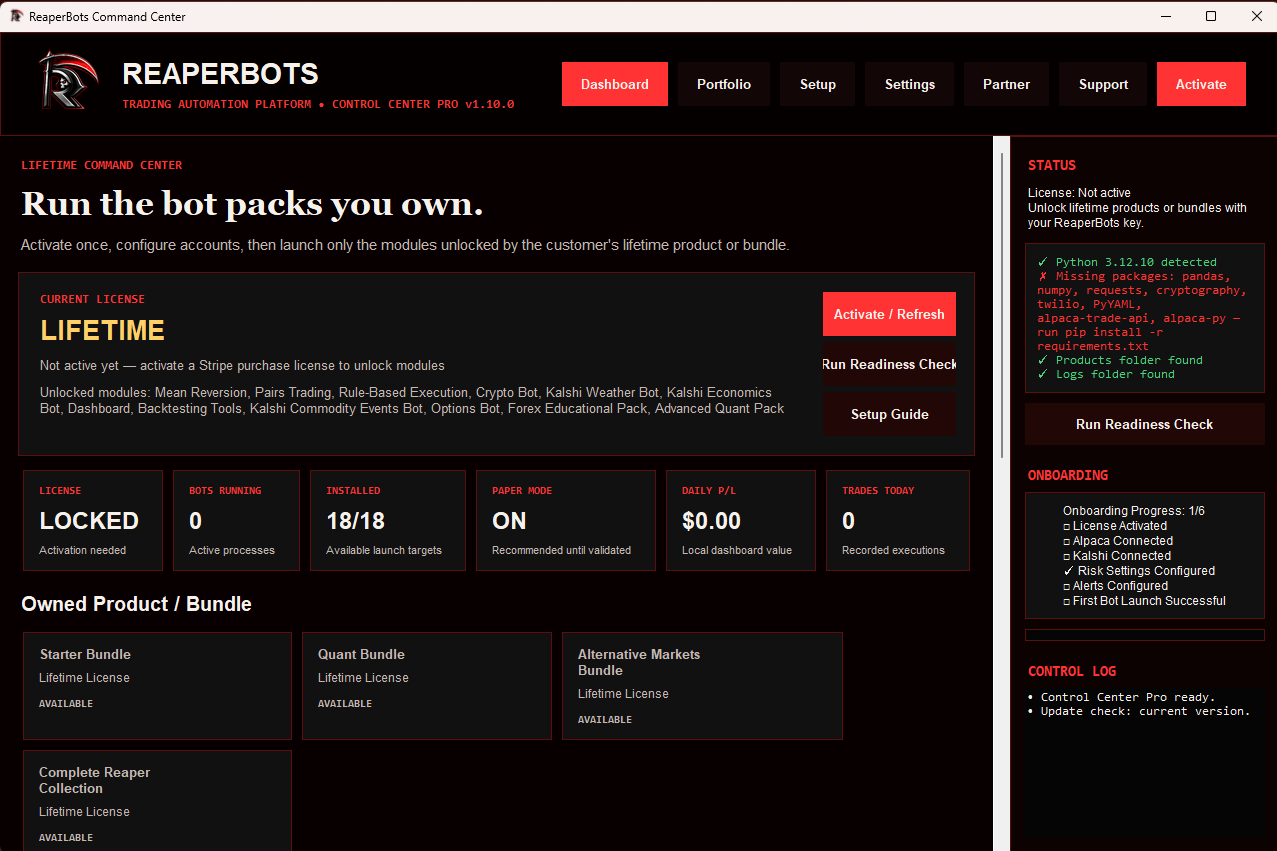
ReaperBots Command Center dashboard showing license status, owned bot packs, and system readiness
Step 2 — Activate

One key, instantly verified.

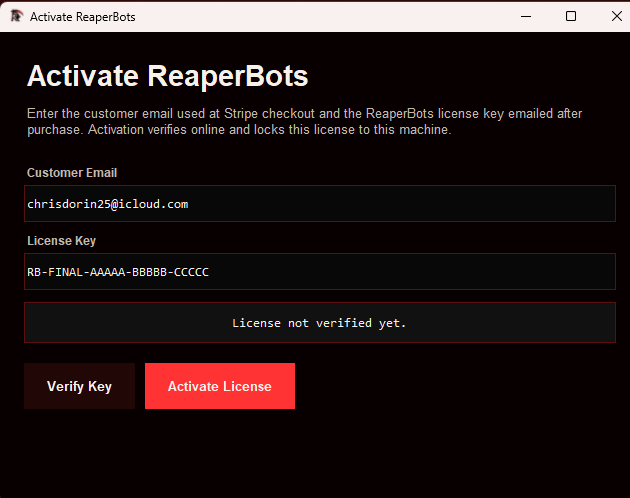
Enter the email used at checkout and the license key emailed after purchase. Activation verifies online and locks the license to that machine — no manual file editing, no support ticket required for the common case.

ReaperBots license activation window with customer email and license key fields
Step 3 — Guided Setup

A six-step checklist from purchase to first bot.

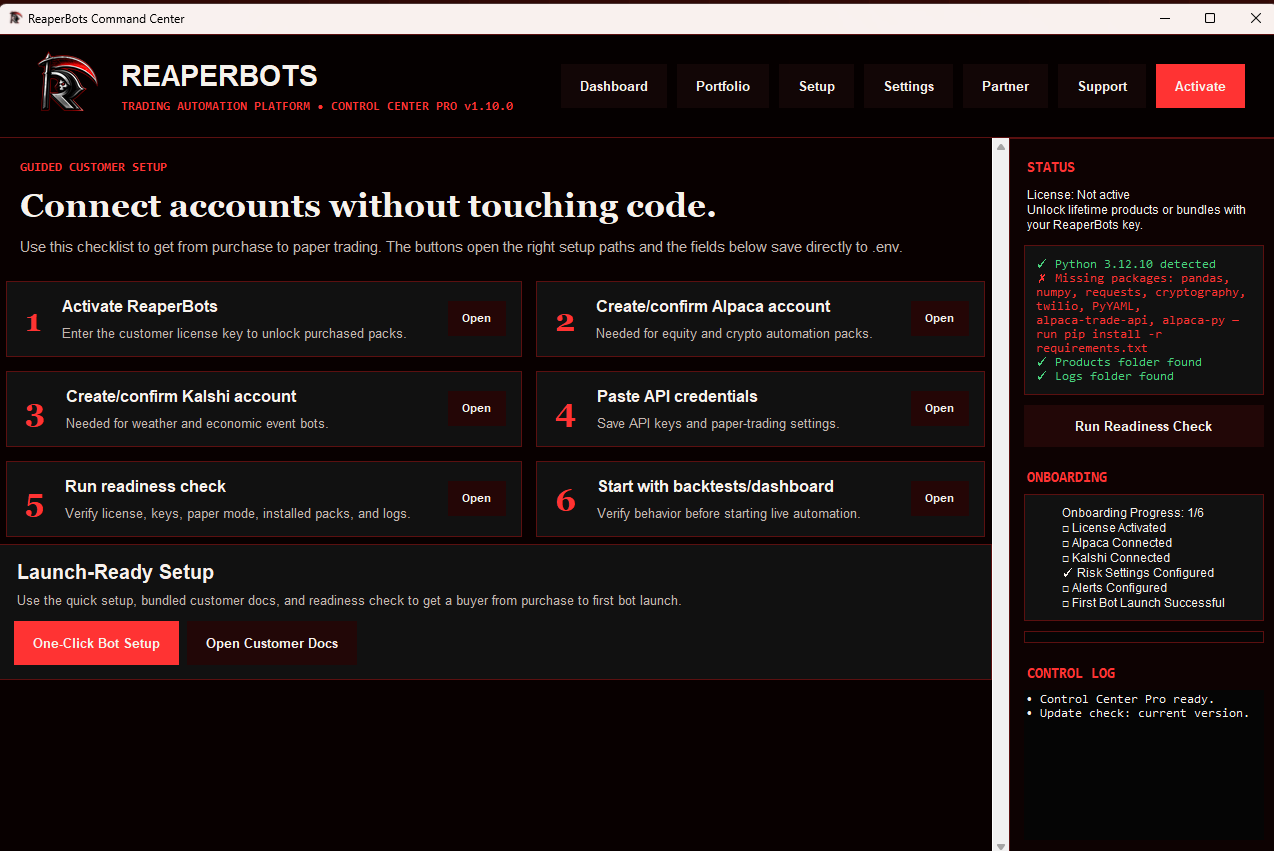
Activate the license, connect Alpaca and/or Kalshi, paste in API credentials, and run a readiness check — each step has its own "Open" button that jumps straight to the right screen. One-click bot setup and bundled customer docs are one click away too.

ReaperBots guided setup checklist with six steps from activation to first bot launch
Step 4 — Portfolio

See which bots are earning their keep.

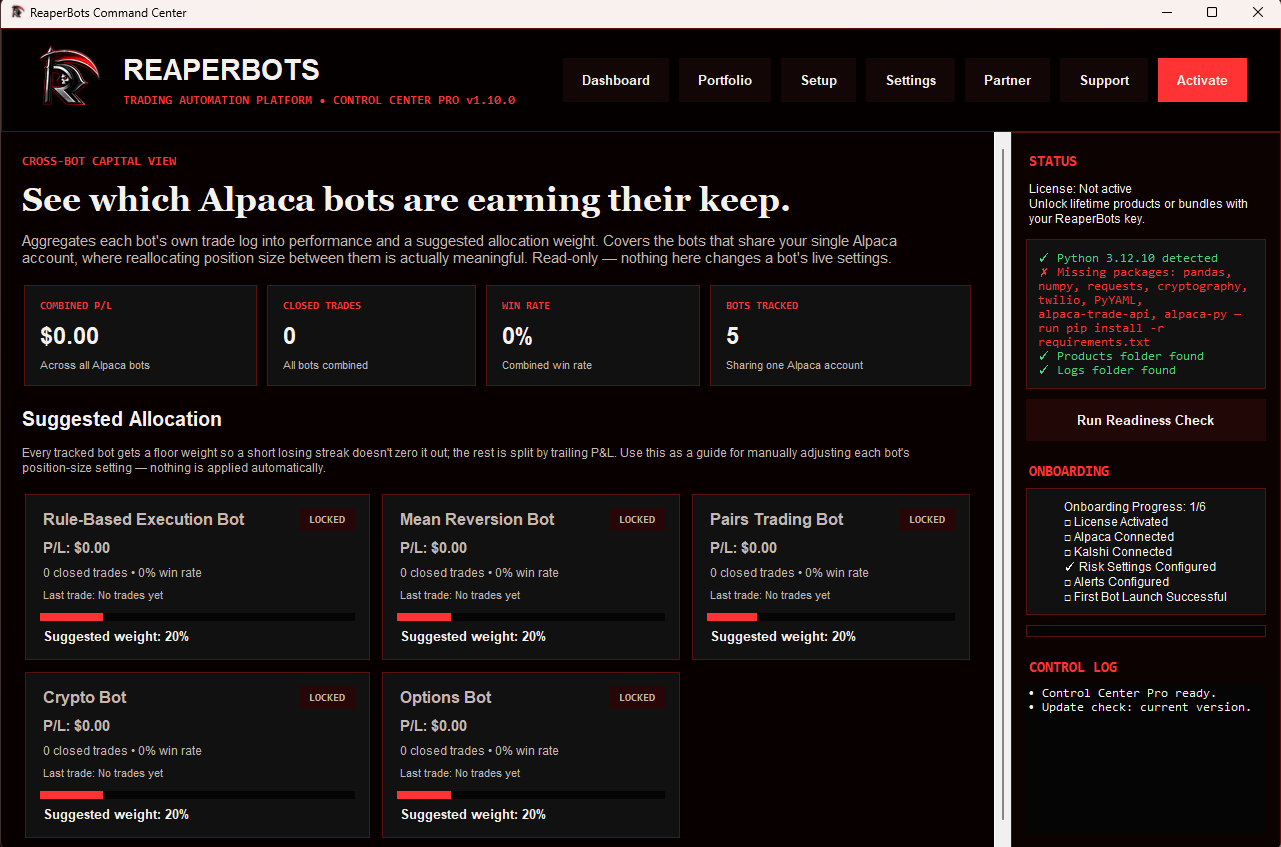
A cross-bot capital view aggregates every bot's own trade log into combined P/L, win rate, and a suggested allocation weight — useful for manually tuning position size across bots sharing one Alpaca account. Read-only: nothing here changes a bot's live settings.

ReaperBots portfolio view showing combined P/L, win rate, and suggested allocation weight across bots
Step 5 — Settings

Keys and risk limits, all in one place.

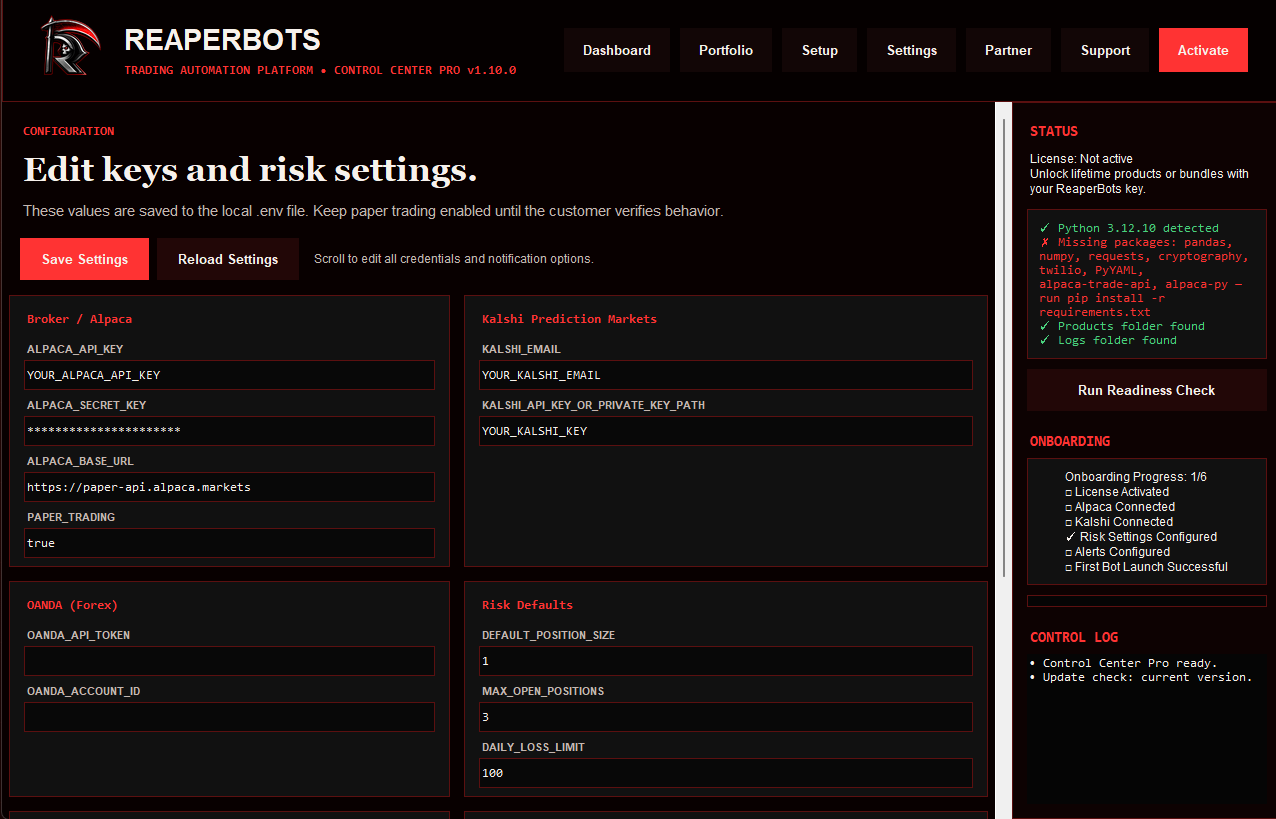
Broker credentials for Alpaca, Kalshi, and OANDA live alongside risk defaults — position size, max open positions, and daily loss limit — all saved straight to your local .env file. Paper trading stays on until you deliberately flip it off.

ReaperBots settings screen for broker API keys and risk defaults
Step 6 — Support

Help customers without digging through folders.

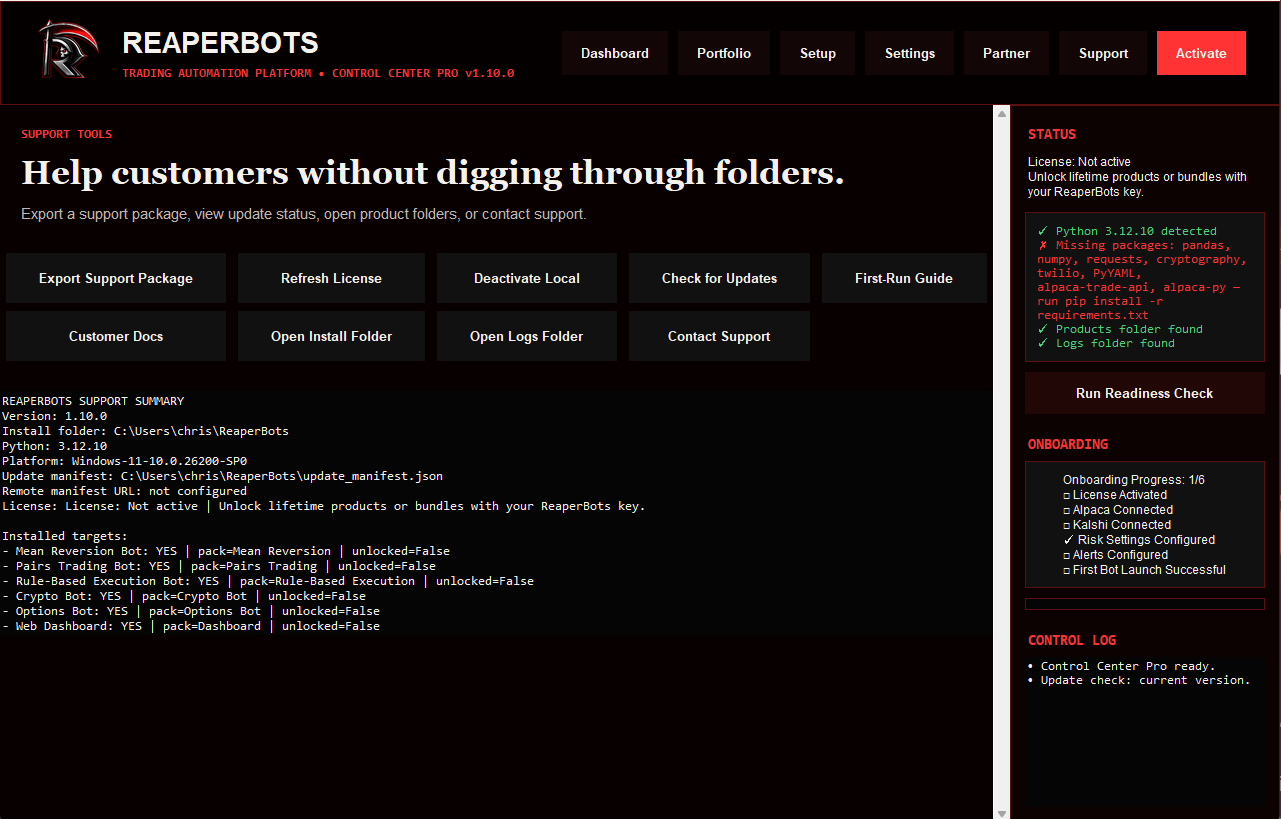
Export a full support package, refresh or deactivate a license, check for updates, or jump straight into install and log folders — all from one screen, with a live summary of installed targets and their unlock status.

ReaperBots support tools screen with export package, license refresh, and installed bot targets

Ready to run it yourself?

Every bot ships in paper trading mode by default — activate, connect your accounts, and validate before ever going live.